
BDG Win Game Login
Learn how to access your BDG Win Game account, understand the login process, resolve common sign-in problems, and protect your personal information.
This guide provides practical information for existing account holders using smartphones, tablets, or desktop browsers.
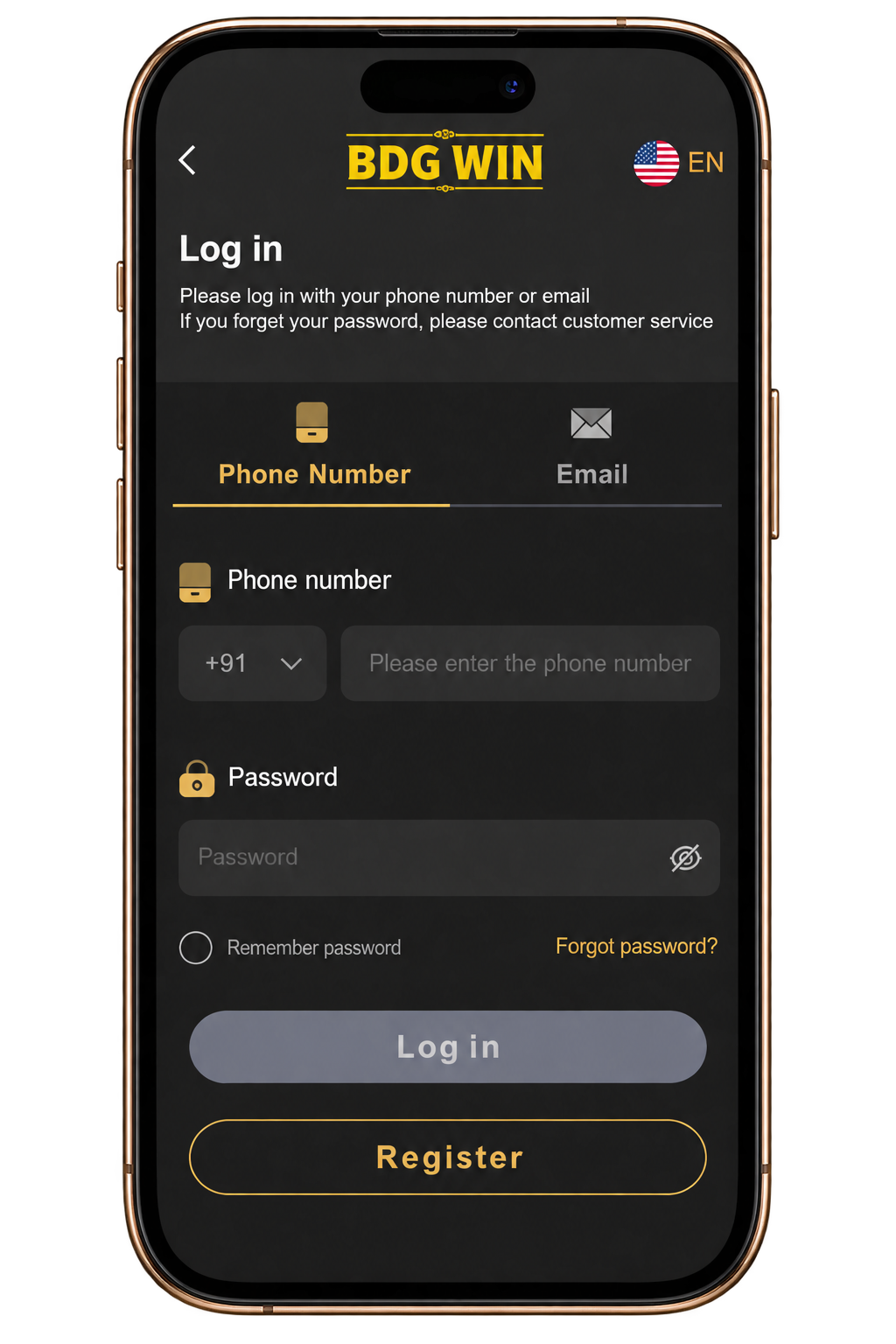
Understanding BDG Win Game Login
BDG Win Game login is intended for users who already have a registered account. Signing in may provide access to account settings, available games, and other supported platform features.
Login fields and verification requirements may change with platform updates. Always verify the website address before entering your credentials.
Important Login Reminder
Never share your password, OTP, or account recovery information. Use only a login page that you have independently verified.
Register on BDG Win Game
Visit the registration page to create your account. Review the platform rules and eligibility requirements first.
Register Now →How to Log In to BDG Win Game
Existing users can follow these general steps to access their accounts.
Open the Website
Visit the verified BDG Win Game website through your preferred browser.
Select Login
Find the Login or Sign In option and open the account access page.
Enter Account Details
Enter the registered account identifier and password requested by the login form.
Complete Verification
Follow any CAPTCHA, OTP, or additional security checks shown on the verified platform.
Access Your Account
Once authentication is successful, review your account dashboard and available features.
BDG Win Game Login on Mobile
Mobile Browser Login
A compatible mobile browser may allow users to access their accounts without installing an additional application.
- Open a supported browser.
- Visit the verified website.
- Locate the Login option.
- Enter your account details.
- Complete required verification.
Android Application Login
Where an official Android application is available, it may offer a dedicated login interface.
Only install applications from sources you have verified. Avoid modified APK files shared through unknown links.
Read the App Download Guide →Common BDG Win Game Login Problems
Login issues may occur because of incorrect credentials, network interruptions, browser problems, or verification failures.
Incorrect Password
Check for typing mistakes and use the verified password recovery process if necessary.
Verification Problems
Check whether the code has expired and confirm that your registered contact method is accessible.
Website Not Loading
Check your connection, refresh the page, or try another updated browser.
Account Restrictions
Follow any security instructions shown by the platform if account access is restricted.
Browser Compatibility
Update your browser and clear relevant site data if login pages do not function correctly.
Suspicious Account Activity
Stop using unfamiliar links and contact verified support if you notice account changes you did not authorise.
Forgot Your BDG Win Game Password?
If you cannot remember your password, use the official recovery feature if one is provided on the verified login interface.
Find Password Recovery
Look for the Forgot Password or Account Recovery option.
Verify Account Ownership
Complete the identity verification requested through the official process.
Reset Your Password
If recovery is approved, create a strong password that you have not used elsewhere.
Protect Your Recovery Details
Never share password reset links, OTPs, or recovery credentials with another person.
How to Keep Your BDG Win Game Login Secure
Following good security practices helps reduce the risk of phishing and unauthorised account access.
Strong Passwords
Use a unique password and avoid reusing credentials.
Verified Links
Check the domain carefully before entering personal details.
Protect Verification Codes
Never disclose OTPs or account recovery codes.
Private Devices
Avoid saving passwords on public or shared devices.
Account Monitoring
Review account records for unfamiliar activity.
Verified Support
Contact authorised support for account-related problems.
Don't Have a BDG Win Game Account?
The login page is intended for registered users. If you are new, review the account registration process and eligibility requirements first.
Online real-money gaming may be restricted or prohibited in some locations. Confirm applicable laws and age requirements before participating.
Play Responsibly
Games involving chance carry financial risks. No gaming strategy guarantees winnings. Never use money needed for essential expenses, and avoid chasing losses.
BDG Win Game Login FAQs
How do I log in to BDG Win Game?
Open the verified login page, enter your registered credentials, and complete any required security verification.
Can I log in using my phone?
Mobile browser login may be available. Check the current platform interface for supported access options.
What if I forget my password?
Use the official account recovery feature if available, or contact verified customer support.
Why is my login not working?
Possible reasons include incorrect credentials, browser problems, connectivity issues, or security restrictions.
Should I share my OTP with support?
No. Never share your password or one-time verification code with anyone.
Where can I get login help?
Visit the Customer Support page for guidance on identifying authorised support channels.
Need Help With BDG Win Game Login?
Explore login instructions, registration guidance, and customer support information.