
BDG Win Game Register
Learn how the BDG Win Game registration process works, what information may be required, and how to protect your account from the beginning.
This guide explains the general registration steps, mobile account creation, verification requirements, and common issues that new users may encounter.
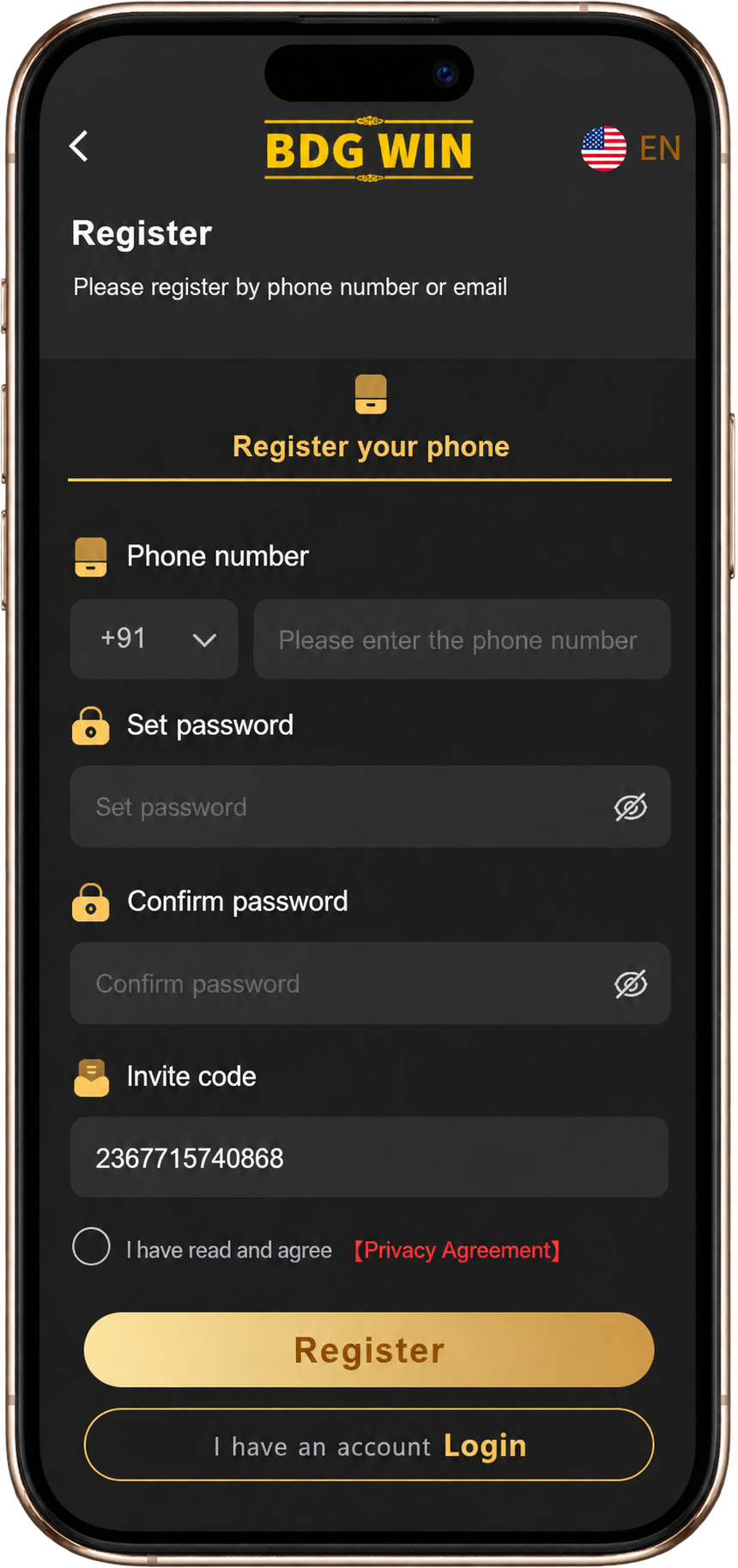
Understanding BDG Win Game Registration
Registration is the process of creating a personal account on a digital platform. Users may be asked to provide contact details, create a password, and complete identity or security checks.
The information required depends on the platform's current registration form and eligibility rules. Before submitting any personal information, verify the website address and review the relevant terms and privacy policy.
Before You Register
Confirm that you meet the applicable legal age and eligibility requirements. Real-money gaming laws may differ between Indian states and other jurisdictions.
Register on BDG Win Game
Visit the registration page to create your account. Review the platform rules, privacy terms, and eligibility requirements before proceeding.
Register Now →How to Register on BDG Win Game
The following steps describe a typical online registration process. The actual interface may differ depending on platform updates.
Open the Verified Website
Visit the website address you have independently confirmed. Avoid unfamiliar registration links shared through unsolicited messages.
Select Register
Locate the Register, Sign Up, or Create Account option on the platform's main interface.
Enter the Required Information
Complete the fields displayed on the registration form. These may include a mobile number, account identifier, or other contact details.
Create a Strong Password
Choose a unique password that is difficult to guess. Avoid reusing passwords from email, banking, or other accounts.
Review the Terms
Read the Terms and Conditions, Privacy Policy, and applicable gaming rules before accepting them.
Complete Verification
If the platform requires OTP verification, CAPTCHA, or identity checks, complete them through the verified interface.
Review Your New Account
Once registration is confirmed, review the available account settings, security features, and applicable restrictions.
What You May Need Before Registration
Preparing the correct information can make the registration process easier and reduce unnecessary errors.
Contact Information
Use accurate contact details that you control and can access when required for verification.
Secure Password
Prepare a unique password and keep it private. A password manager may help protect it.
Eligibility
Confirm your legal age, location eligibility, and any other applicable requirements.
Verification Access
Make sure you can access the contact method used for account verification.
Reliable Connection
Use a stable and trusted internet connection when submitting personal information.
Policy Awareness
Review privacy practices, account rules, and any financial conditions before creating an account.
How to Register on BDG Win Game Using Mobile
Registration Through a Browser
A compatible mobile browser may allow eligible users to create an account without downloading an application.
- Open your mobile browser.
- Visit the verified website.
- Select the registration option.
- Complete the required fields.
- Review the terms and conditions.
- Submit the form and verify if required.
Registration Through an Android App
If an official Android application is available, it may provide a dedicated account registration interface.
Confirm the application's source before installation. Avoid modified APK files or software distributed through unverified links.
Why Account Verification May Be Required
Some digital platforms use verification procedures to confirm account ownership, protect user information, and enforce eligibility rules.
Verification requirements may vary depending on account activity, regional rules, and platform policies.
Contact Verification
A verification code may be sent to the contact method linked to the account.
Identity Verification
Eligible users may be asked to confirm their identity through an approved verification process.
Account Protection
Additional security checks may be used when unusual account activity is detected.
Keep Verification Codes Private
Never share OTPs, passwords, or recovery information with anyone, including people claiming to represent customer support.
Common BDG Win Game Registration Problems
Registration difficulties can result from incorrect information, verification errors, browser problems, or account restrictions.
Invalid Contact Details
Check the requested contact format and correct any typing errors.
Verification Code Not Received
Confirm the contact information and check whether the code delivery is delayed.
Password Not Accepted
Follow the password rules displayed on the registration form.
Registration Page Not Loading
Check your connection, update your browser, and avoid unknown alternative websites.
Existing Account Detected
If your details are already registered, use the account recovery process instead of creating duplicate accounts.
Account Eligibility Issue
Registration may be restricted based on age, location, or platform policies. Do not attempt to bypass restrictions.
How to Protect Your New Account
Good security habits should begin before registration is complete. Protecting your credentials helps reduce the risk of unauthorised access.
- Use a unique password that is difficult to guess.
- Never share passwords, OTPs, or recovery codes.
- Check the website address before entering personal details.
- Avoid registration links from unknown messages.
- Use security verification features when available.
- Report suspicious account activity through verified support.
Important Things to Know Before Registering
Creating an account should be an informed decision. Real-money gaming carries financial risks, and winnings are never guaranteed.
Users should only participate if they meet applicable age and legal requirements. Never use money needed for essential expenses, and avoid treating gaming as a reliable source of income.
BDG Win Game Registration FAQs
How do I register on BDG Win Game?
Open the verified website, locate the registration form, provide the required details, review the terms, and complete verification if requested.
Can I register using my mobile phone?
Mobile browser registration may be supported. Check the platform's current registration interface for available options.
What information is required?
The required information depends on the current registration form. It may include contact details, a password, and verification information.
What if I do not receive a verification code?
Confirm your contact details, check for delivery delays, and follow the verified platform instructions.
Can I create more than one account?
Account limits depend on the platform's current terms. Review the applicable rules before attempting additional registrations.
Is registration available in every Indian state?
Not necessarily. Real-money gaming laws and eligibility rules can differ between Indian states. Check applicable local restrictions.
Are winnings guaranteed after registration?
No. Registration does not guarantee earnings, prizes, or winnings. Games involving chance carry financial risks.
Where can I get registration help?
Review the Customer Support page and use only independently verified support channels.
Explore BDG Win Game Account Guides
Find information about registration, login, mobile access, account security, and customer support.